
 Log in


Table of Contents
Running low on ink mid-tax-season is a headache nobody needs. Neither is printing a form incorrectly, wasting paper, or getting a document rejected for poor legibility. Whether you're printing a 1040, W-2 attachments, or business schedules, a few simple printer settings and supply choices can make the process faster, cheaper, and stress-free. Here are six practical tips to get through tax season without burning through cartridges — or your patience.
Tip 1
Double-check before printing and mailing
Always preview your documents before you hit print. Confirm you've filled every field accurately, that the formatting is correct, and that no pages are missing. A single misprint means wasted paper and ink — and potentially a missed deadline.
If you're mailing your forms, check the IRS website for the correct mailing address — it varies by state and form type. Labels should be neat and legible, and make sure you have enough postage to cover the weight of your return. Any handwriting on tax forms must be in blue or black ink.
Tip 2
Be careful if you print tax returns double-sided
Double-sided printing saves paper and reduces your environmental footprint — but the IRS has strict rules. Each side of a page must belong to the same form. A Form 1040 cannot share a page with a Form 7004. Before submitting, review both sides of every sheet carefully.
For more ways to reduce paper use and print sustainably, see our guide to environmentally friendly printing practices.
Tip 3
Print your tax return in black and white
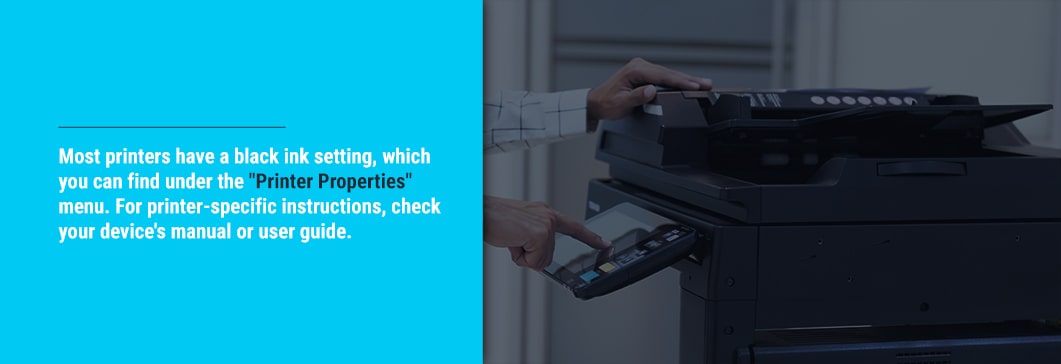
Tax forms don't require color — and printing in black and white or grayscale can dramatically extend the life of your color ink cartridges. Most printers let you force black-ink-only output through the "Printer Properties" or "Print Preferences" menu. Look for options like "Grayscale," "Black & White," or "Use Black Ink Only."
For printer-specific instructions, consult your device's manual or user guide. The exact menu path varies by brand and model, but the setting is standard on virtually every inkjet and laser printer.
Tip 4
Try draft mode or duplex printing
Draft Mode reduces ink usage and speeds up print jobs — stack it with grayscale printing and you'll cut your cartridge consumption significantly on every batch of forms. It's typically found under "Printer Properties" or "Quality Settings," though the exact label varies by printer.
Duplex (double-sided) printing is another great way to cut paper use. As noted in Tip 2, just make sure each physical page pairs two sides of the same form — never two different forms. For high-volume filers, pairing draft mode with duplex printing is one of the most effective ways to lower the per-page cost of tax season.
Tip 5
Choose the right printer and cartridges
Your printer choice matters — especially if you're printing hundreds of pages across multiple returns. For a quick breakdown of what each printer type handles best, see our printer cartridges 101 guide. The short version:
- Laser printers (toner) are the best choice for high-volume, text-heavy tax documents. Toner cartridges have a significantly higher page yield than ink, which lowers your cost-per-page across a large print run. Shop toner cartridges at Supplies Outlet.
- Inkjet printers work well for individual or small-batch filing. They're affordable upfront and handle occasional print jobs without issue.
Whichever printer you use, the single biggest way to lower your running costs is switching to compatible ink and toner cartridges. Supplies Outlet's compatible cartridges deliver the same reliable output as OEM brands at a fraction of the price — and they come with a 1-year warranty with full refund or replacement. Compatible cartridges do not void your printer warranty under U.S. law.
Inkjet vs. laser: which is better for tax forms?
| Factor | Inkjet Printer | Laser Printer (Toner) |
|---|---|---|
| Best for | Individual / small-batch filing | High-volume, multi-form printing |
| Text sharpness | Good | Excellent — laser-precise text |
| Print speed | Moderate | Fast — no warm-up wait on most models |
| Cost per page | Higher (especially color) | Lower — toner yields more pages |
| Smudge risk | Some — ink needs drying time | None — toner fuses to paper with heat |
| Upfront cost | Lower | Higher (offset by lower running costs) |
| Color needed? | Not for tax forms | Not for tax forms |
Tip 6
Safeguard your tax returns with registered or certified mail
Once your forms are printed and ready, don't leave delivery to chance. Use USPS registered or certified mail, or an IRS-approved private carrier such as UPS, FedEx, or DHL Express. These services give you a delivery confirmation and a timestamp — critical if you're filing close to the deadline and need proof your return was sent on time.
Don't let a dead cartridge derail your tax deadline. Supplies Outlet carries compatible ink and toner for virtually every printer — high-yield options included — with free shipping on orders over $30 and a 1-year satisfaction guarantee. Stock up before the rush.
Shop Toner Cartridges See Value Deals

